> ## Documentation Index
> Fetch the complete documentation index at: https://docs.pyne.ai/llms.txt
> Use this file to discover all available pages before exploring further.
# Sleep Step
Use the `Sleep` step to introduce a deliberate pause in the guide's flow for a specific duration.
**Key Characteristics:**
* **Purpose:** Control pacing and timing within the guide's narrative.
* **Avatar Behaviour:** The avatar pauses for the predefined duration (in milliseconds) and then automatically continues to the next step.
* **Configuration:** Set the pause duration (e.g., `2000` ms for 2 seconds).
* **Impact if Skipped:** Affects the guide's timing and storyline, but the guide will still proceed.
* **Common Use Cases:**
* Slowing down the avatar's speech if it feels too fast.
* Giving the user time to read or observe something highlighted (e.g., "Take a closer look at this table").
***Example:*** *A 1-second `Sleep Step` in a Mentimeter guide gives users time to consider changing their question.*
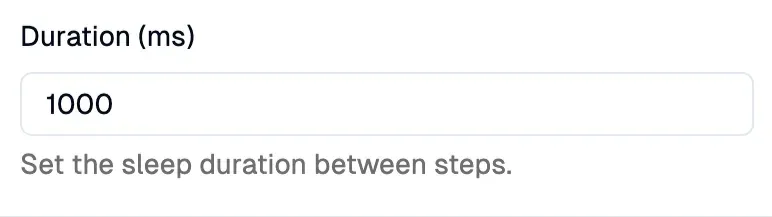
Here's how the Sleep step configuration looks in the editor:

 *Result:*
***
### Setup
Configure the duration of the pause in milliseconds in the right sidebar.
> **⚠️ Sleep vs. Wait:**
> You can often skip a `Sleep` step without breaking the guide (though it might affect the flow). However, a `Wait` step is often crucial to prevent errors if subsequent steps rely on elements that haven't loaded yet.
*Result:*
***
### Setup
Configure the duration of the pause in milliseconds in the right sidebar.
> **⚠️ Sleep vs. Wait:**
> You can often skip a `Sleep` step without breaking the guide (though it might affect the flow). However, a `Wait` step is often crucial to prevent errors if subsequent steps rely on elements that haven't loaded yet.